Homelab
Self-Hosted
Android
5 weeks
How I Turned a Broken Android
into an Ultimate Media Server
Resourceful engineering, 5 weeks of troubleshooting, and bypassing Android's Phantom Process Killer to build a zero-cost private cloud.
hardware
Samsung S20 FE 5G
origin story
The Minecraft Server That Wasn't
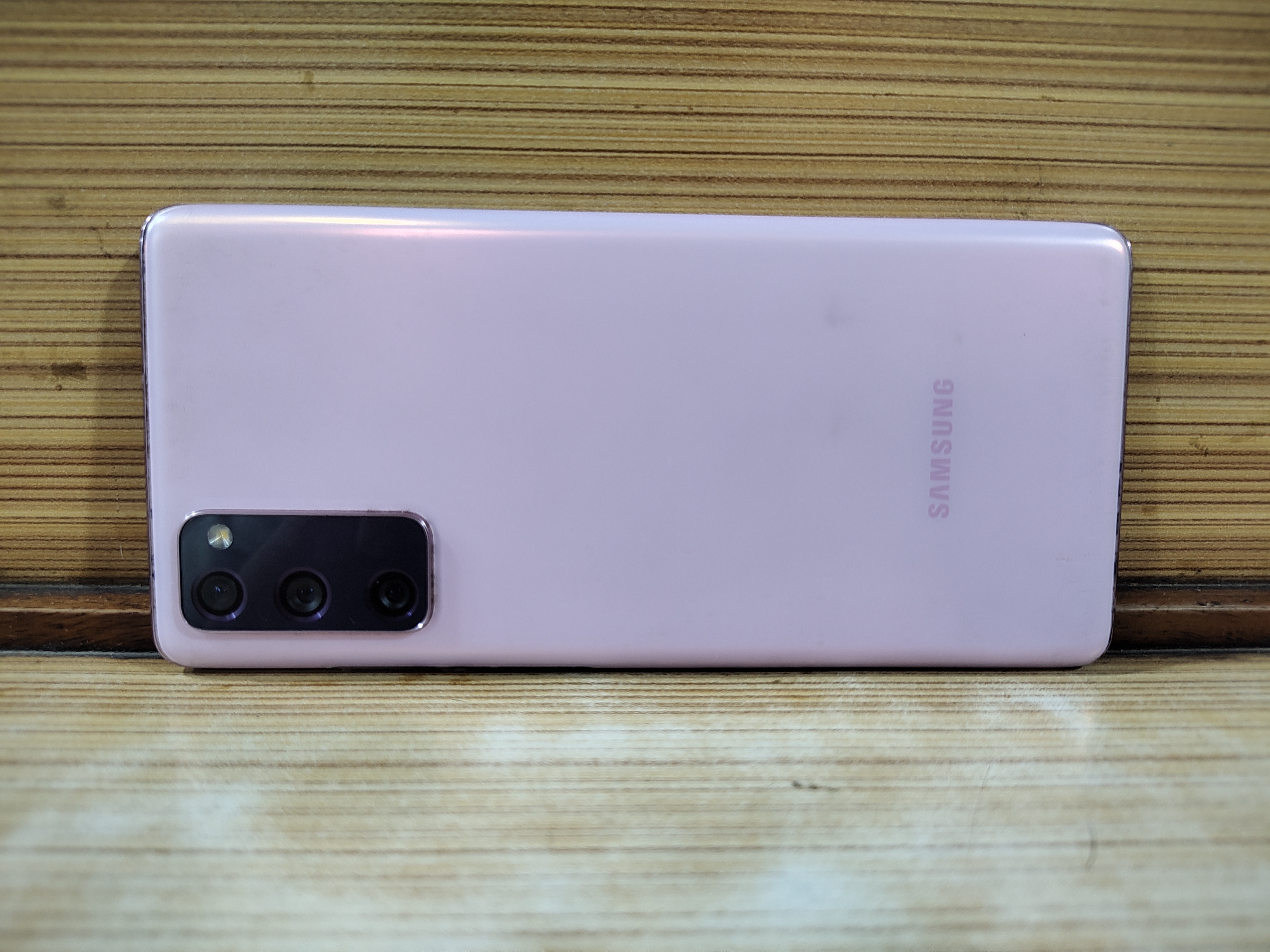
Samsung Galaxy S20 FE 5G — broken screen, dead fingerprint scanner, perfect server.
About a month ago I had an old Samsung S20 FE 5G lying around with a cheap replacement screen — no 120Hz, dead fingerprint scanner. I repurposed it to host a Minecraft server because roughly 25 friends swore they'd play. Day one: 10 showed up. Day three: I was managing a server for exactly 4 regulars.
After shutting it down, the phone went back to collecting dust. Then I stumbled into the self-hosting community. The idea of running my own services was incredible — but there was a catch: almost zero tutorials exist for doing this on Android. Most people use Raspberry Pis or old PCs. I decided to forge ahead anyway. The phone draws a fraction of the power of a desktop, has a built-in UPS (battery), and produces zero fan noise.
the stack
Every Service Running
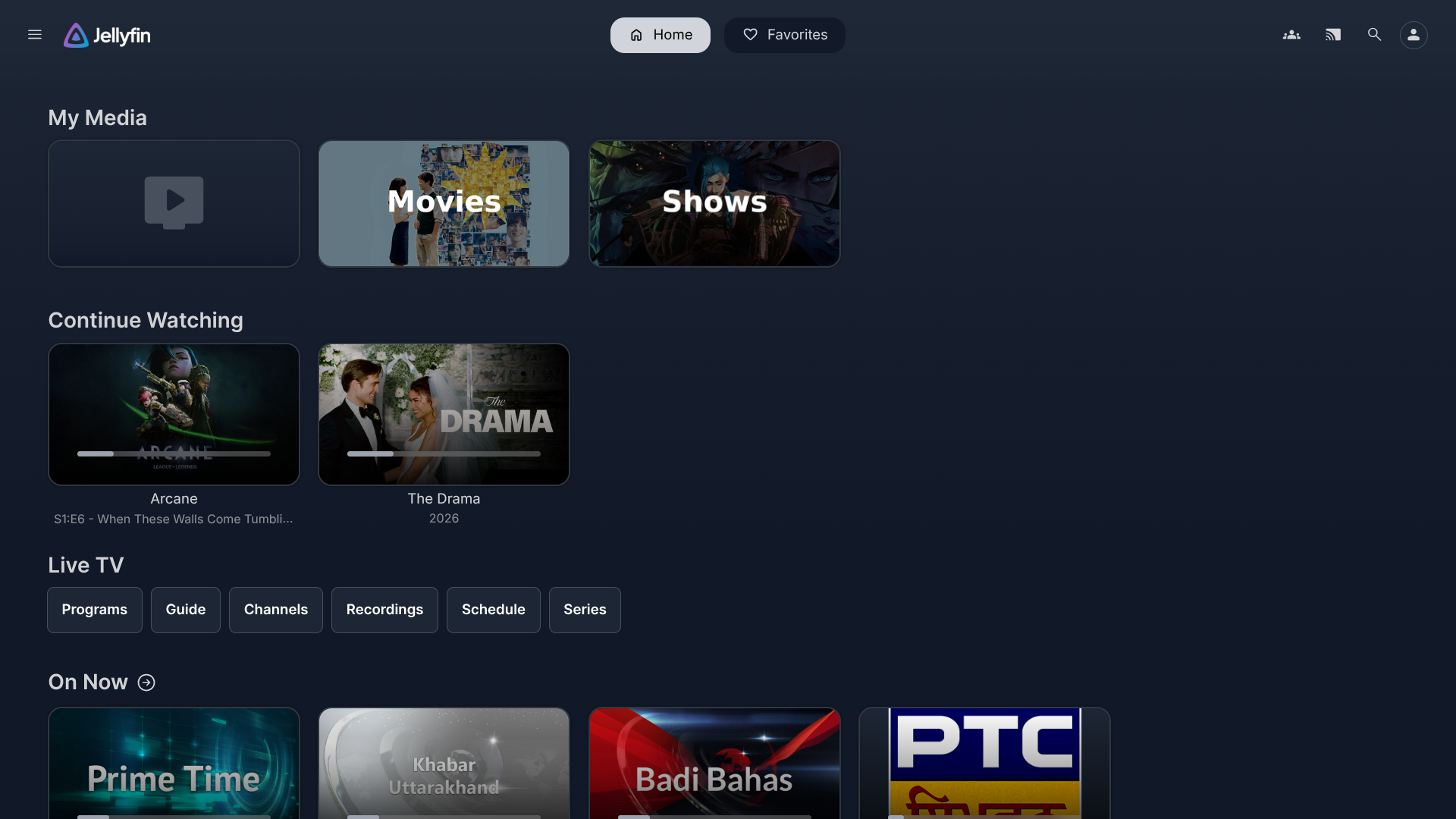
Jellyfin
Private streaming — movies, TV shows, live IPTV routing
online
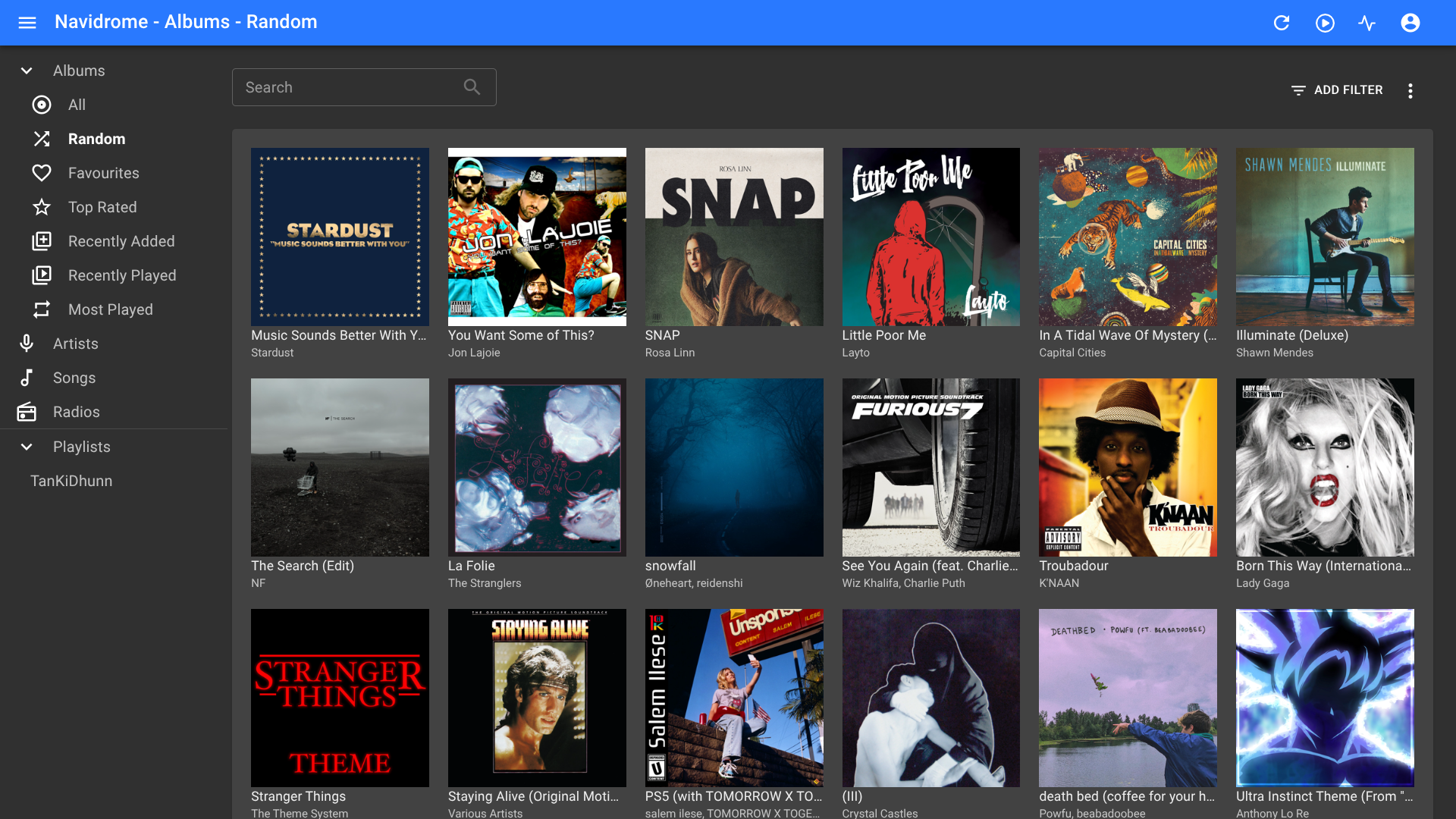
Navidrome
Self-hosted music library with Subsonic API
online
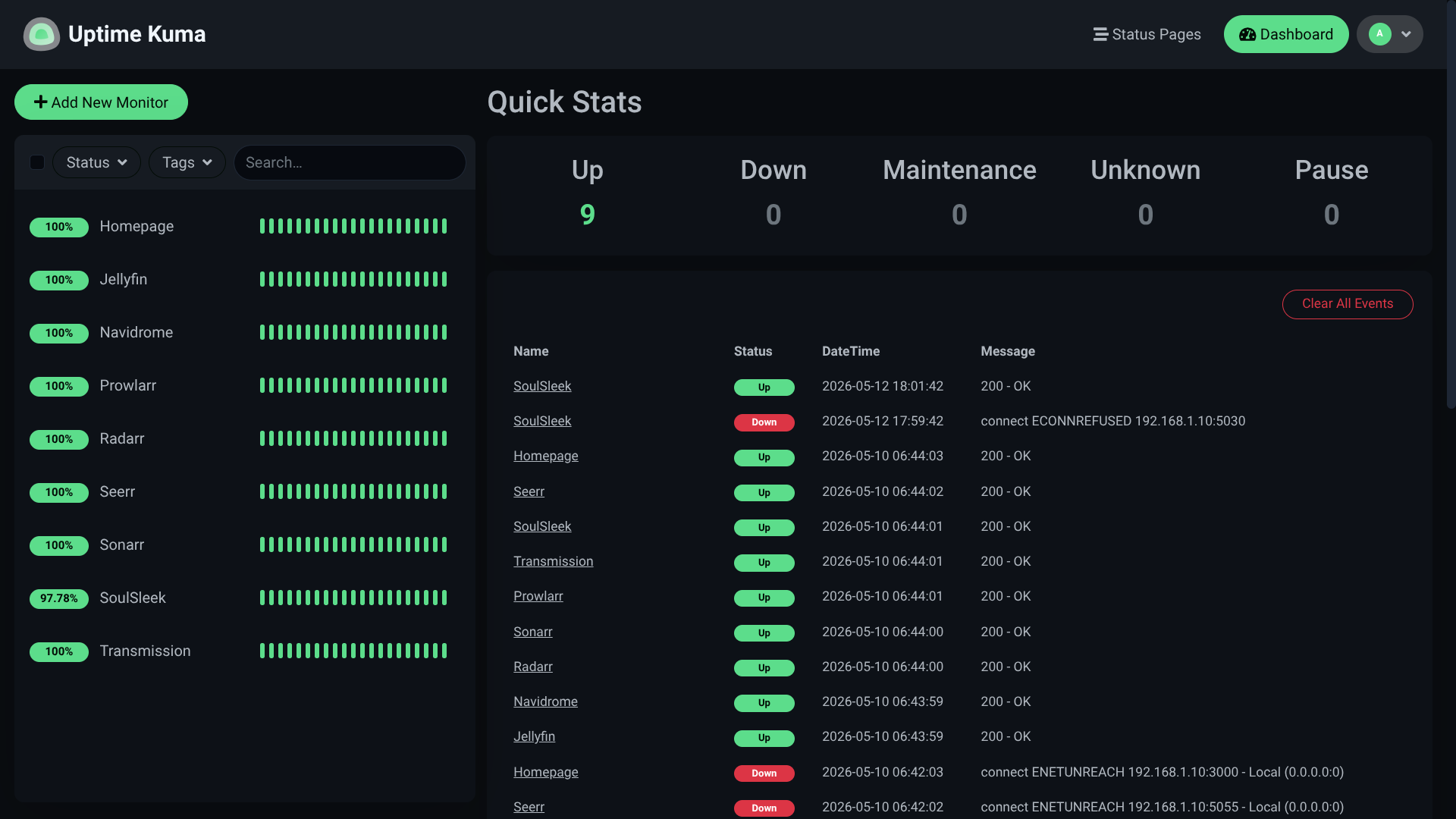
Uptime Kuma
Service health monitoring & alert dashboard
online
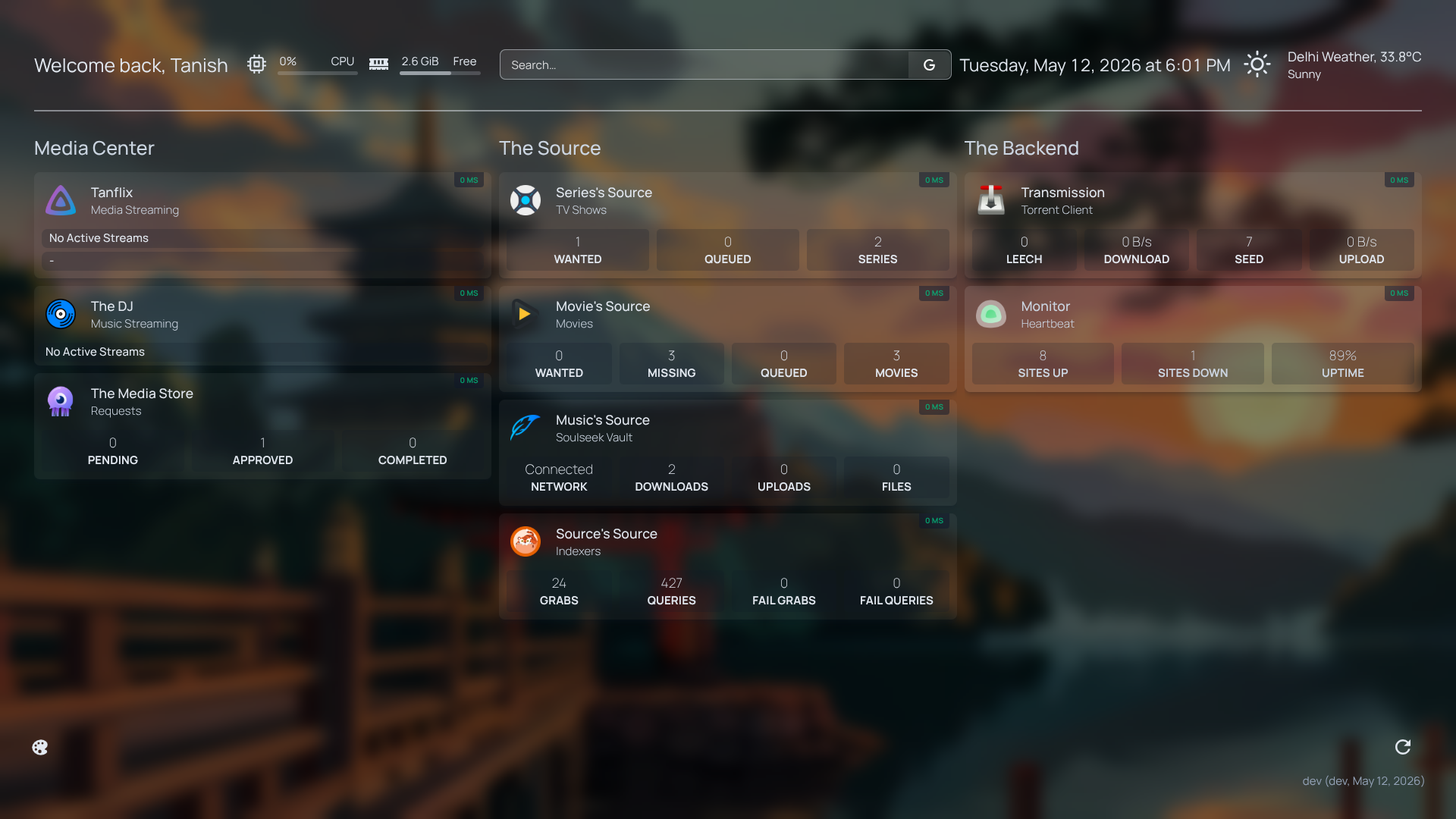
Homepage
Unified dashboard — CPU, RAM, all apps in one place
online
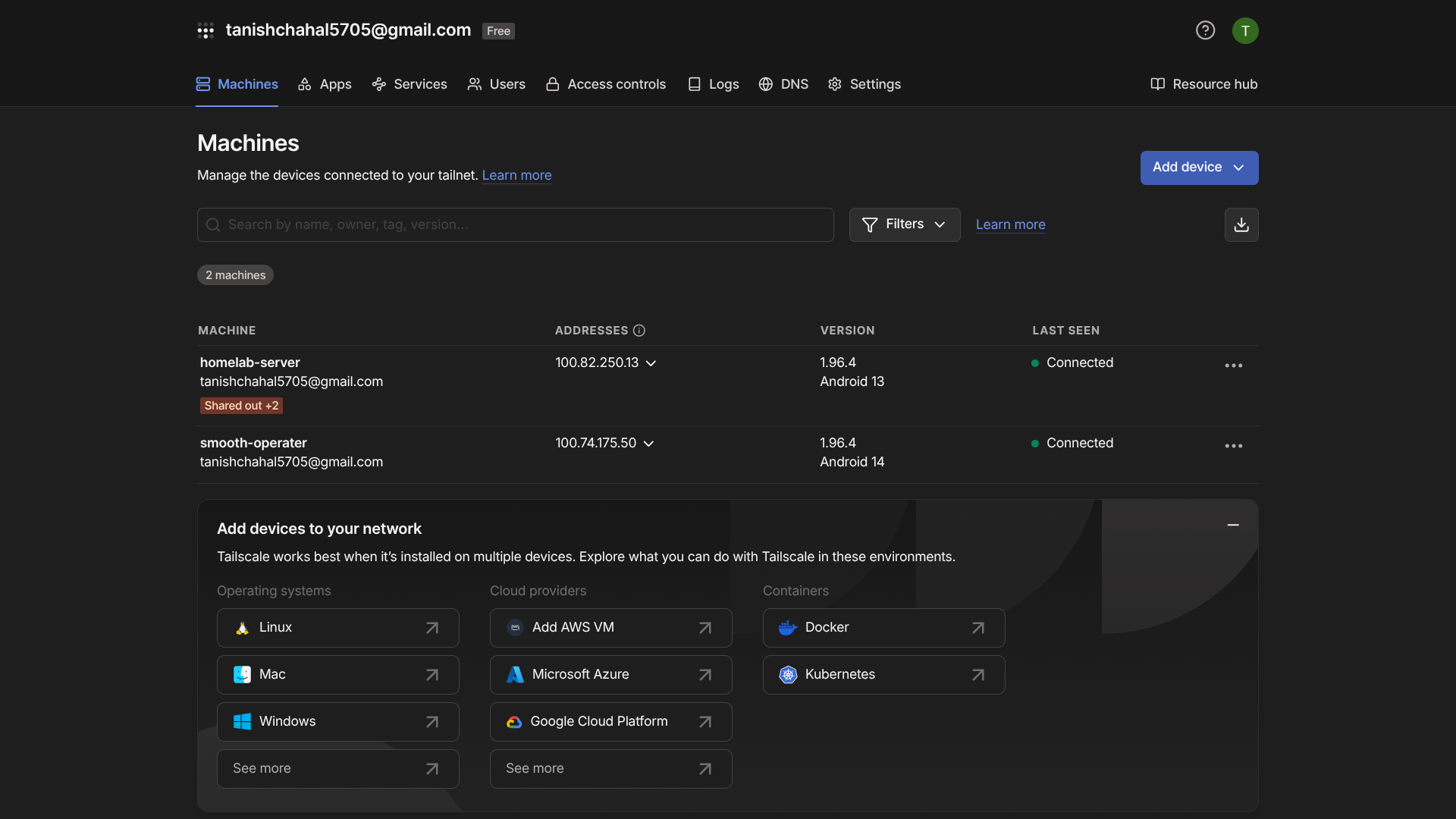
Tailscale
Zero-config WireGuard VPN — global secure access
online
🎬
Jellyfin
Open-source media server. Streams your library anywhere with full Intro Skipper plugin support and live IPTV routing.
media
🎵
Navidrome
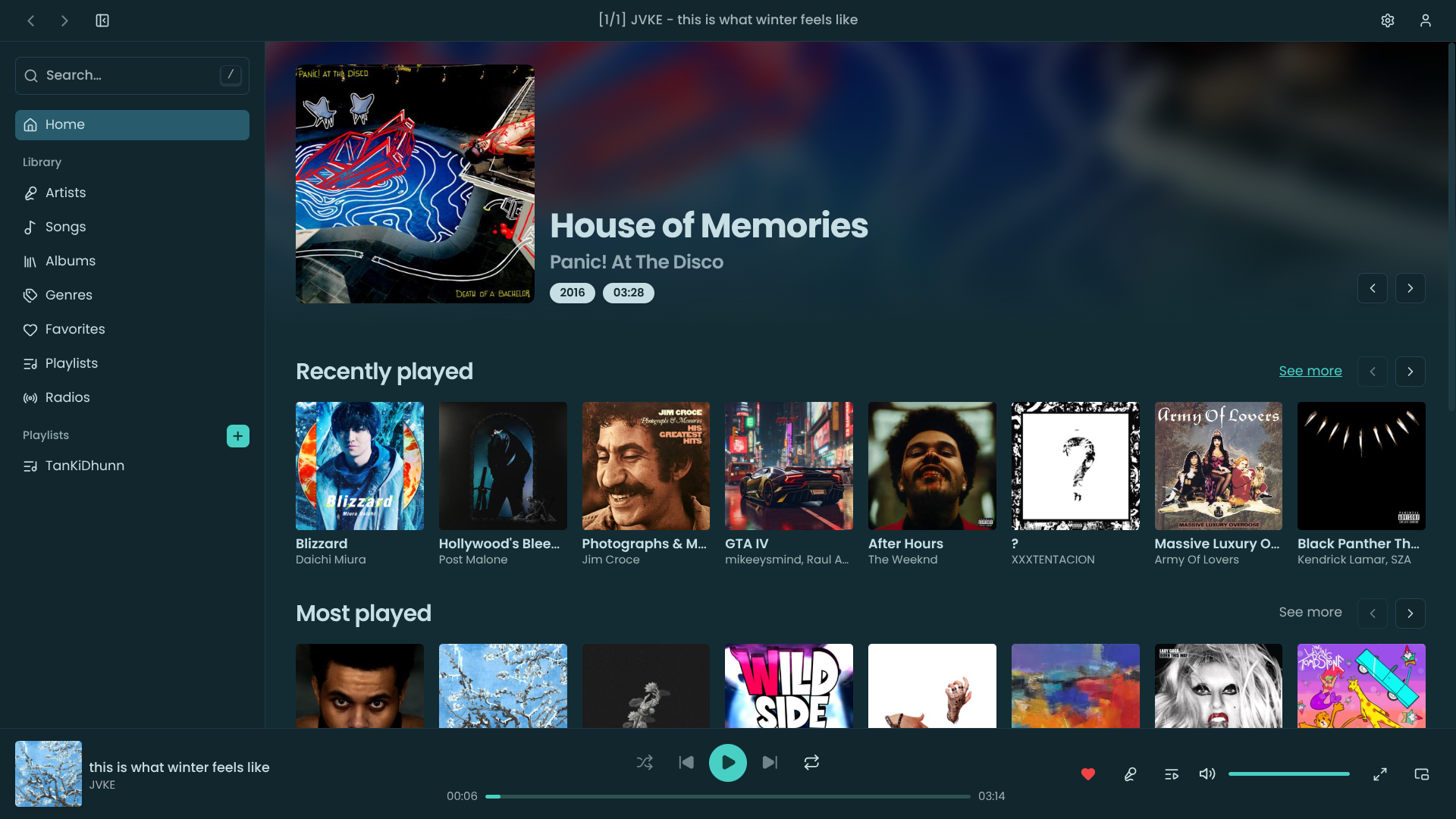
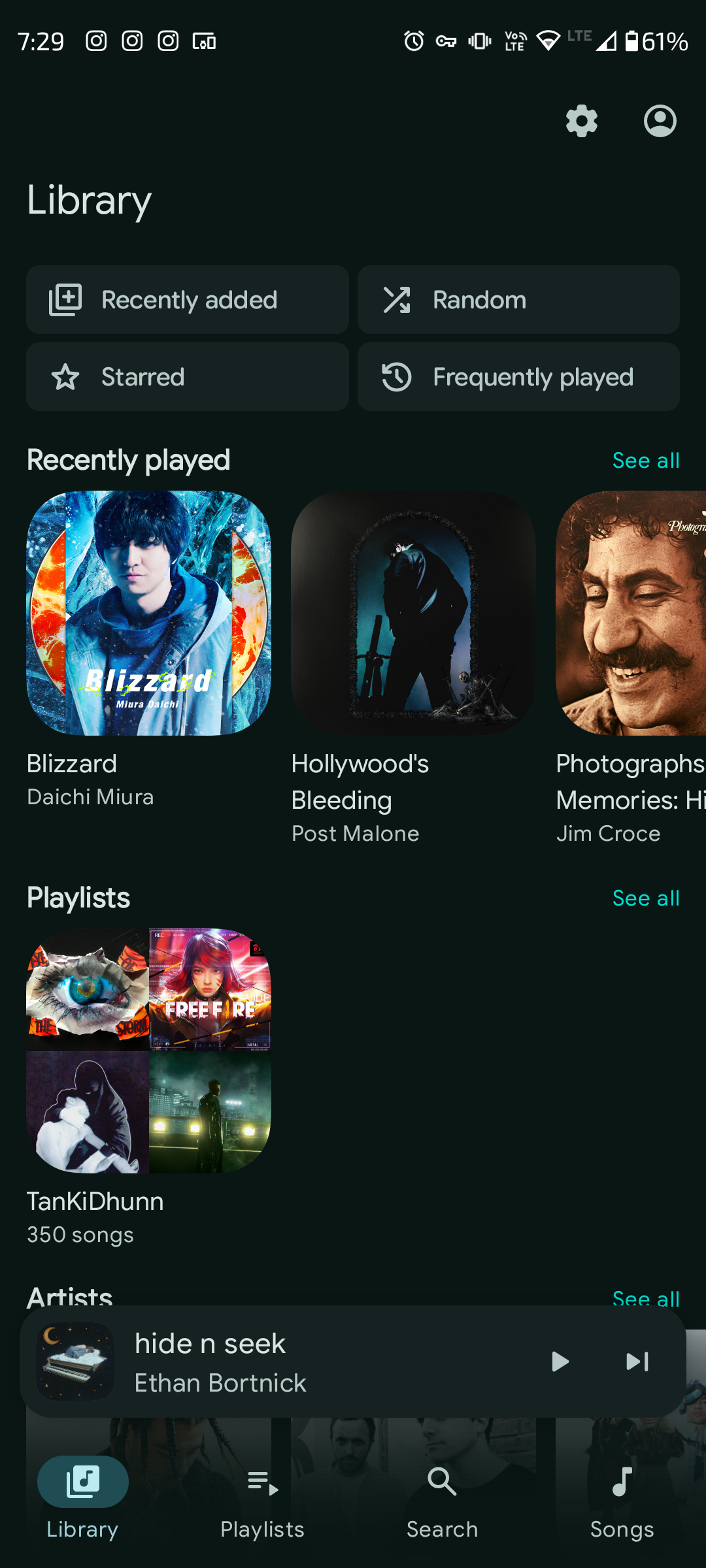
Self-hosted Spotify. Phenomenal Subsonic API. Used with Aonsoku on web/PC and Navic on Android.
music
📊
Uptime Kuma
Beautiful health monitor for the whole stack. Instant alerts when any service drops.
monitoring
🏠
Homepage
Daily-driver frontend dashboard. One-click access to all services with live server stats.
dashboard
🔒
Tailscale
Zero-config VPN magic. No static IP, no port forwarding. Fastest service to set up in the entire stack.
networking
hitting the ceiling
Android's Hard Limits
What takes an hour on a standard Linux machine took five weeks of troubleshooting on Android. Two walls in particular nearly ended the project:
Port Restrictions
Android blocks access to privileged ports below 1024 — including port 80 (HTTP) and port 53 (DNS). This made network-wide ad blockers like Pi-hole completely non-viable without root access.
Phantom Process Killer
Even with 8 GB of RAM, Android's aggressive memory manager flagged the entire server stack as a rogue background process and terminated it the moment memory usage climbed above ~5 GB. Services would silently die mid-stream.
the fix
ADB to the Rescue
adb_fix.sh — disable phantom process killer
laptop@home:~$ adb devices
List of devices attached
S20FE_5G device
laptop@home:~$ adb shell "/system/bin/device_config set_sync_disabled_for_tests persistent"
Success.
laptop@home:~$ adb shell "/system/bin/device_config put activity_manager max_phantom_processes 2147483647"
Success. Phantom Process Killer disabled.
laptop@home:~$ # server stack now stable above 5GB RAM usage ✓
Phantom Process Killer — Defeated
Two ADB commands over USB from a laptop permanently reconfigured Android's process limit to its maximum integer value. The stack has been stable ever since, even under full load.
monitoring
Watching the Stack
Uptime Kuma — every service monitored, every outage alerted.
Homepage — the daily-driver front door to the entire stack.
Tailscale — the entire stack exposed to the internet in minutes, zero port forwarding required.
Jellyfin — with Intro Skipper and a custom theme from awesome-jellyfin.
takeaway
Pushing the Limits
Conclusion
Building a home server usually involves buying specialized hardware. But sometimes, the best hardware is the hardware you already have. Pushing an old mobile OS to act as a headless Linux server required a lot of workarounds — but it resulted in a completely free, silent, and highly capable cloud infrastructure.
It's proof that you don't need enterprise gear to build enterprise-grade solutions. The biggest investment wasn't money — it was five weeks of patience and stubborn curiosity.
Linux mindset
zero-cost infra
self-hosted
ADB scripting
5 weeks debugging